Cursorless sidebar
You can say "bar cursorless" to show the Cursorless sidebar.
Scopes
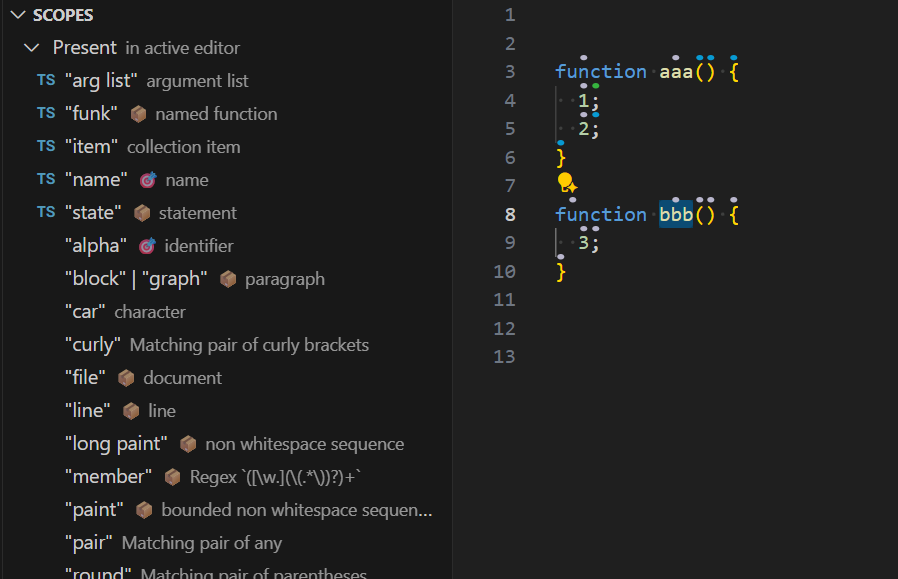
- Displays all available scopes, grouped by whether they are currently present and supported in the active text editor.
- The list updates in real time as you type or move your selection.
- Clicking a scope highlights it using the scope visualizer.
- Shows your custom spoken forms for scopes.
Scope icons
To identify the scope for a piece of code:
- First select the code in your editor.
- Then look in the sidebar for the following icons:
🎯 The scope exactly matches your selection
📦 The scope contains your selection
Tutorial
The sidebar includes interactive tutorials with guided exercises in a practice document. See the tutorial for the available lessons and instructions for using them interactively.